How to check if an iPhone is iCloud locked before buying
Buying a used iPhone can be a great deal—but only if you do it right. One of the biggest risks when purchasing a second-hand Apple device is ending up with an iCloud locked iPhone. This hidden trap can render the phone unusable and tie it to a previous owner’s Apple ID indefinitely.
In this article, you’ll learn how to check the iCloud lock status of any iPhone before buying it, why it matters, and how to avoid common mistakes that lead to wasted money or legal trouble.
What iCloud lock really means for your iPhone
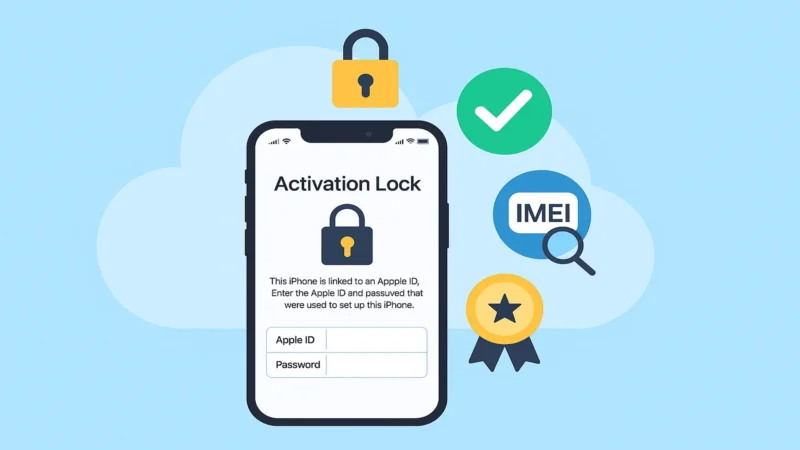
When an iPhone is iCloud locked, it means Activation Lock is enabled. This security feature is automatically turned on when Find My iPhone is activated. Designed by Apple to deter theft, Activation Lock prevents anyone from erasing or reactivating the phone without the original Apple ID and password.
Even if the device is factory reset or fully erased, it will still ask for those credentials. Without them, you can’t use the iPhone—at all.
Why checking iCloud status is so important before purchase
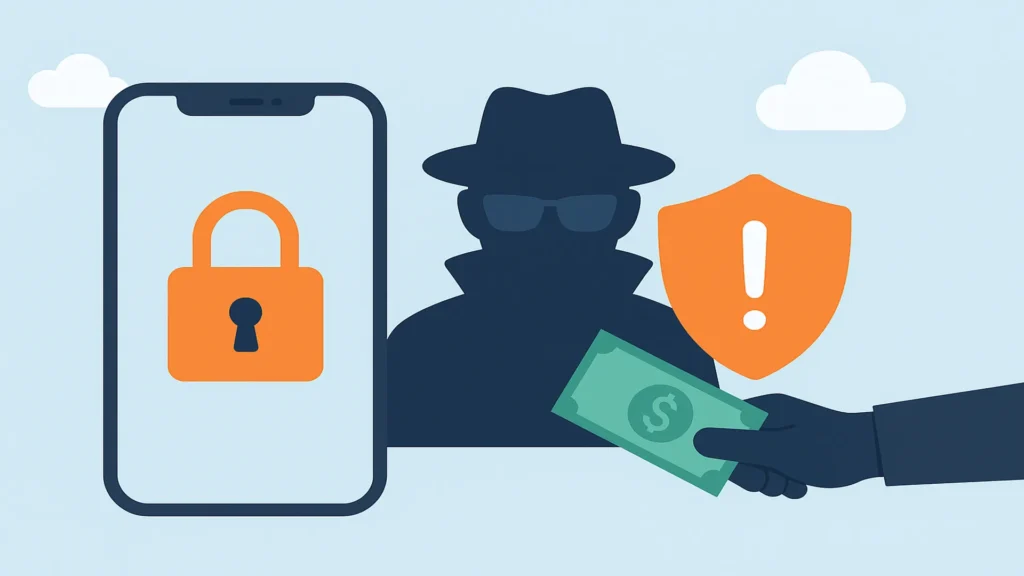
Failing to verify the iCloud status before you pay is a critical mistake. A locked device cannot be set up or used, and unlocking it without authorization is virtually impossible and often illegal.
Here’s what could happen if you skip this step:
-
The phone may be reported as lost or stolen
-
The seller might not be the legitimate owner
-
You could lose your money with no support or warranty
-
You won’t be able to bypass Activation Lock through Apple
That’s why checking before you buy is not just smart—it’s essential.
The fastest way to check iCloud lock status in person
If you’re meeting a seller face-to-face, follow these simple steps:
-
Power on the iPhone and reach the setup screen
-
Proceed through language and region selection until it asks for Wi-Fi
-
Connect to Wi-Fi and see what happens next
If the device prompts you to enter an Apple ID and password, it’s iCloud locked.
If it proceeds to the Home screen without requiring any Apple ID, it is most likely unlocked.
🔐 Tip: Always reset the device yourself before buying. Go to Settings > General > Transfer or Reset iPhone > Erase All Content and Settings. If the seller refuses, that’s a red flag.
How to verify remotely if you’re buying online
Buying through websites like eBay, Facebook Marketplace, or classified ads can be risky. Ask the seller to provide the following:
-
A photo of the screen showing no iCloud activation lock
-
A screenshot of Settings > Apple ID showing the account is signed out
-
IMEI or serial number to check status (if you’re using a checker tool)
Never buy a phone that shows «This iPhone is linked to an Apple ID» on activation.
Can you check iCloud status using IMEI or serial number
There used to be official iCloud Activation Lock checkers from Apple and third parties. However, most of these tools are no longer publicly available due to misuse and privacy concerns.
That said, some reputable services still allow limited checks:
-
IMEI.info
-
iUnlocker
-
iPhoneIMEI.net
⚠️ Always proceed with caution and avoid websites that ask for payment or personal information. Many are scams.
Signs that a phone might be iCloud locked
Even if the phone looks good physically, here are warning signs:
-
The seller doesn’t allow a reset during the meeting
-
The device was restored but gets stuck on the setup screen
-
It asks for Apple ID credentials after reset
-
The price is suspiciously low for the model
Remember, Activation Lock is not visible just by turning on the phone—you must check during the reset process.
What to ask the seller before buying an iPhone
Use these direct questions to protect yourself:
-
Is the device signed out of iCloud?
-
Can we erase it together to confirm no Activation Lock?
-
Can you provide the IMEI number?
-
Are you the original owner?
If the seller hesitates or becomes defensive, walk away. Legitimate sellers won’t have an issue confirming these details.
What to do if you already bought a locked iPhone
If you’ve already purchased an iPhone and discover it’s iCloud locked:
-
Try to contact the seller and request their Apple ID
-
Request a refund or dispute the transaction if purchased through a platform
-
Report the incident to local authorities if you suspect fraud
-
Unfortunately, without the correct Apple ID, you cannot remove Activation Lock
Avoid “iCloud unlock tools” or bypass methods. They are unreliable, risky, and against Apple’s terms.
iCloud lock vs SIM lock knowing the difference matters
Don’t confuse iCloud lock with carrier lock. Here’s the difference:
-
iCloud Lock: Related to Apple ID and Activation Lock
-
SIM Lock: Tied to the carrier (e.g., Verizon, AT&T)
A phone can be SIM-locked but not iCloud-locked, and vice versa. You need to check both before buying.
The safest way to buy a used iPhone without issues
For peace of mind, consider buying through Apple-certified resellers or reputable marketplaces that offer:
-
Verified unlocked devices
-
Return policies
-
Seller protection
-
Clear activation status
Apple’s official refurbished store or trusted vendors like Swappa, Back Market, or Gazelle are good starting points.
Final thoughts on checking iCloud status before your next purchase
An iPhone is a powerful tool—but only when it’s truly yours to use. By checking for iCloud Activation Lock before buying, you protect yourself from scams, wasted money, and legal issues.
Don’t skip this step. A few minutes of due diligence can save you from buying an expensive paperweight.